Update My Notification Settings on MyHarrisCountyTax
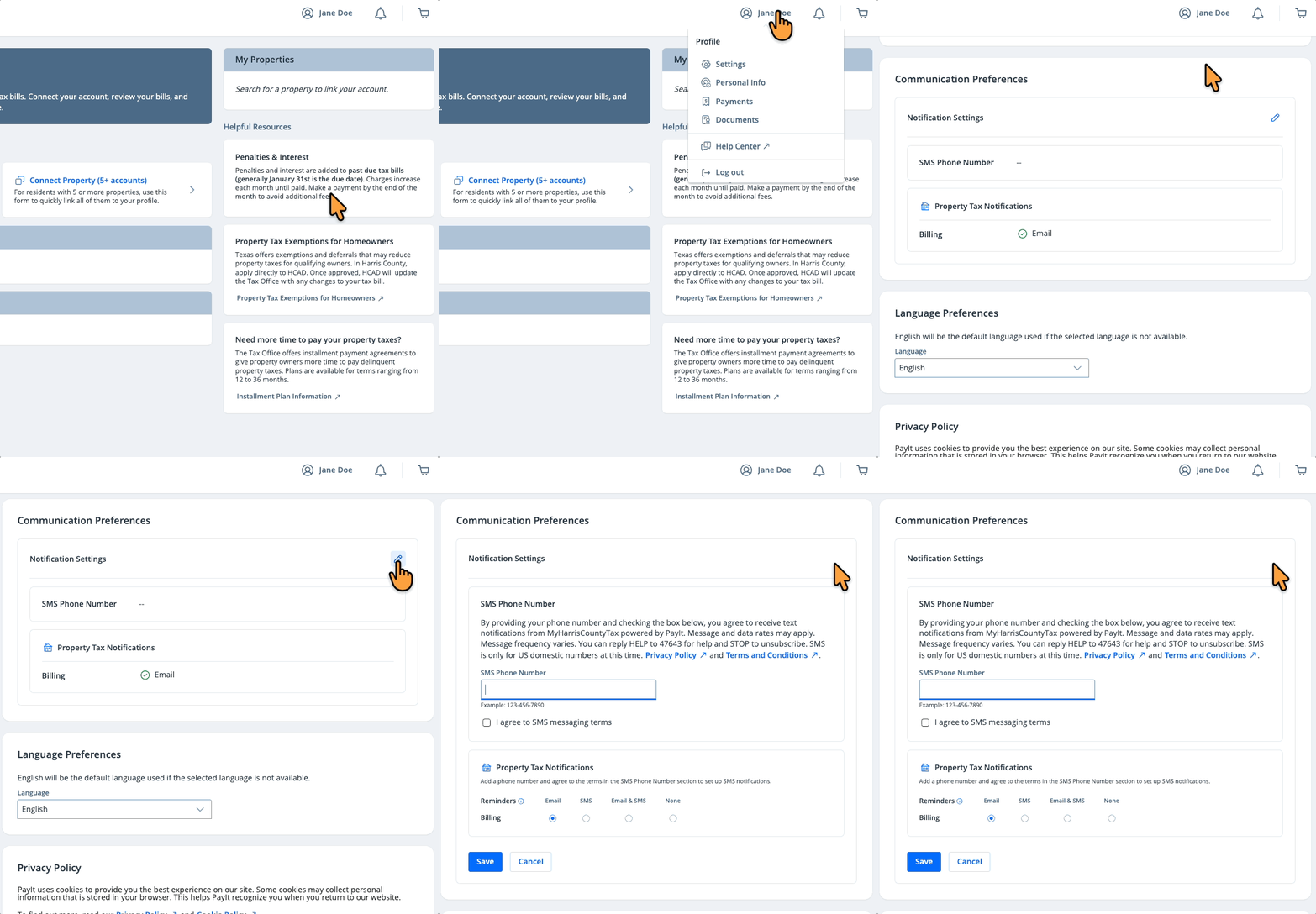
Stay connected your way on MyHarrisCountyTax! Choose to receive important updates by email, text message or both. Notifications are sent 45 days and 7 days before your due date, helping you stay on top of important deadlines. Take a moment to update your preferences using the steps below:
-
Log in to your MyHarrisCountyTax profile
-
Select the Profile icon in the upper right corner and click Settings
-
Go to "Communication Preferences" and click the Edit icon
-
Make your preferred selections for SMS and email notifications
-
Click Save
You’re all set! You can return to "Communication Preferences" at any time to update your notification settings.